
Best Way to Organize Photos: Top Tips for 2025
Drowning in digital photos? You’re not alone. Organizing your photo collection can feel overwhelming.
#Conquer Your Photo Chaos: The Ultimate Guide to Organizing Your Digital Memories
Drowning in digital photos? You’re not alone. Organizing your photo collection can feel overwhelming. This guide reveals seven effective methods to transform your photo library from a chaotic mess into an easily searchable archive. Rediscover your favorite moments with ease using these practical strategies and AI-powered tools.
Tired of scrolling through endless folders? Imagine instantly finding that photo of your grandma’s birthday or your last vacation sunset. This listicle gives you the tools to achieve this, from classic organization systems to AI-powered solutions like Reseek. With Reseek, you can upload images and let its OCR technology extract text, feeding it into a vector database. This enables semantic, AI-powered search, using context to retrieve saved images quickly and effectively. You won’t just be organizing your photos; you’ll be creating a searchable visual history.
We’ll cover these best ways to organize photos:
- Chronological Organization System
- Event-Based Categorization
- Hierarchical Folder Structure
- Tag and Keyword System
- People-Centric Organization
- Location-Based Geographic System
- Star Rating and Quality-Based System
Ready to reclaim your storage and your memories? Let’s dive in.
#1. Chronological Organization System
Recreating the feel of a classic photo album in the digital realm, the chronological organization system arranges your photos by the date they were taken. This intuitive method constructs a visual timeline of your memories, making it incredibly easy to locate photos from specific periods. It’s a naturally flowing system mirroring how we experience life – day by day, month by month, year by year. This makes it one of the best ways to organize photos, especially for those who appreciate a simple, linear approach.
This system’s inherent simplicity makes it a powerful tool for managing extensive photo collections. Imagine effortlessly finding pictures from your 2015 graduation or your child’s first birthday party simply by navigating to the corresponding year and month. No more endless scrolling or keyword searches. Just a clean, direct path to your cherished memories. This structure also facilitates storytelling, allowing you to easily piece together the narrative of your life through visual documentation.
#Examples of Chronological Organization in Action
- Apple Photos: The default ‘Years’ and ‘Months’ view in Apple Photos embodies this chronological approach.
- Google Photos: The timeline view within Google Photos offers a similar date-based navigation.
- Professional Photographers: Many photographers organize client shoots by date, ensuring efficient retrieval of project files.
- Family Photo Archives: Organizing family photos into yearly folders provides a structured and nostalgic way to preserve generational memories.
#Tips for Effective Chronological Organization
- Consistent Date Formatting: Use the YYYY-MM-DD format (e.g., 2024-07-27) for consistent sorting and avoid potential issues with varying date conventions.
- Subfolders for Key Events: Create subfolders within date ranges for major events like “2024-07 – Family Vacation to Hawaii” for more granular organization.
- Regular Backups: Safeguard your meticulously organized collection with regular backups to an external hard drive or cloud service.
- Leverage Photo Management Software: Utilize software that automatically reads EXIF data (metadata embedded in image files containing the date taken) to streamline the sorting process.
#Enhancing Chronological Systems with AI-Powered Tools
Even with a perfectly chronological system, locating a specific image based on its content can still be challenging. This is where AI-powered tools like Reseek excel. By uploading your images to Reseek, its OCR (Optical Character Recognition) technology extracts text within the images. This information, along with image content analysis, feeds into a vector database, enabling semantic search. Instead of relying solely on dates or keywords, you can now search using natural language, describing the image you’re looking for. Reseek then uses this context to pinpoint the correct image, even if you don’t remember the exact date it was taken. This adds another powerful dimension to chronological organization, making your photo library even more accessible and searchable.
#When to Use a Chronological System
This system is ideal for anyone seeking a simple, intuitive, and visually engaging way to browse their photos. It’s particularly useful for those who frequently reminisce about past events or want to quickly locate photos from a specific time period. By combining this timeless method with the cutting-edge power of AI, you can build a truly future-proof photo organization system.
#2. Event-Based Categorization
Stepping away from the linear progression of time, the event-based categorization system groups photos by specific events, occasions, or experiences. This method prioritizes the significance of the moment, making it one of the best ways to organize photos for storytelling and memory preservation. Imagine easily accessing all the photos from your wedding, a family vacation, or a memorable concert, all neatly grouped in one place. This system shifts the focus from when the picture was taken to what the picture represents, providing a more meaningful and engaging way to experience your memories.
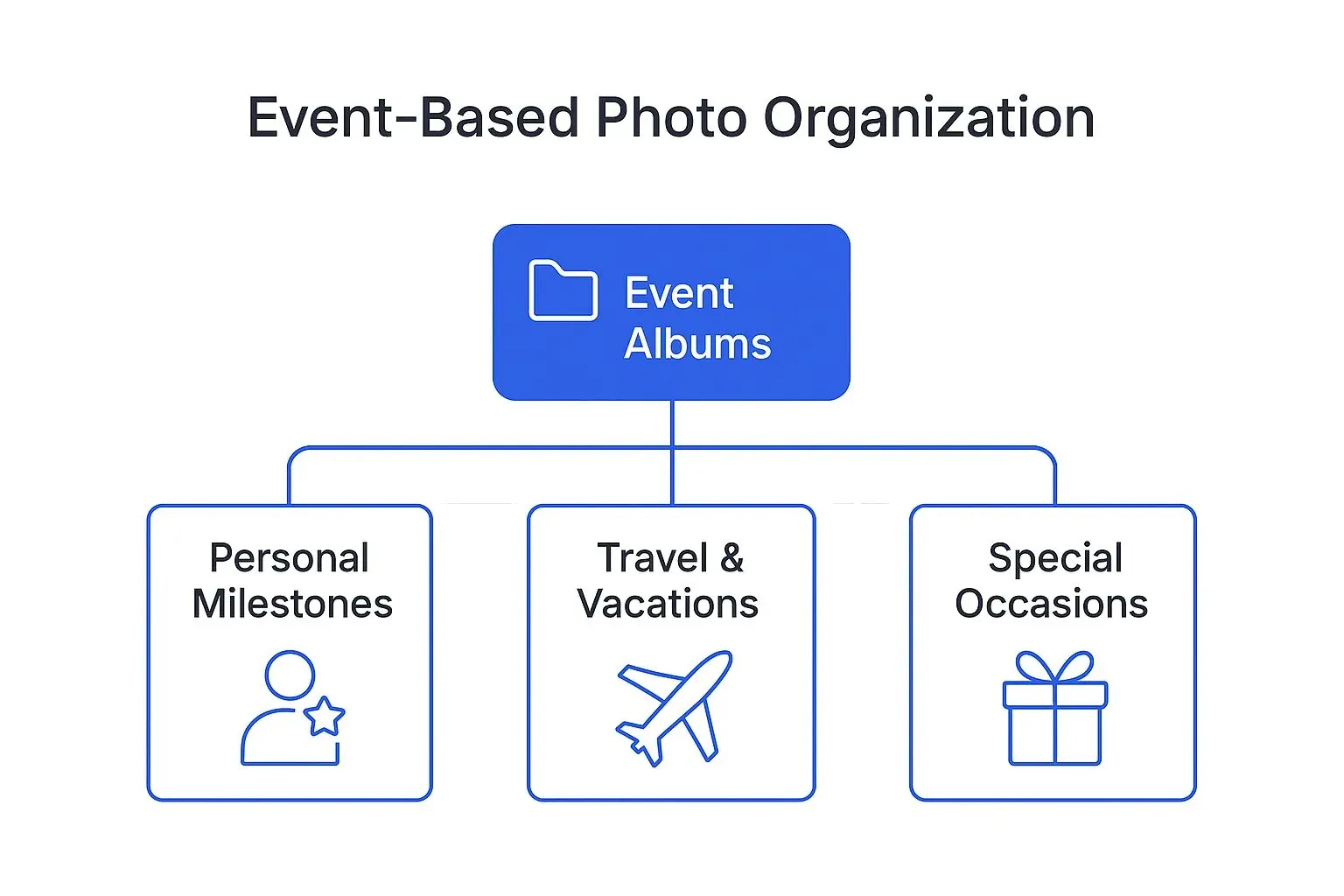
The infographic above visualizes a hierarchical structure for event-based photo organization, starting with “Event Albums” at the top, branching into major categories like “Personal Milestones,” “Travel & Vacations,” and “Special Occasions.” This structure demonstrates how broad event categories can contain more specific sub-events, facilitating efficient navigation and retrieval.
#Examples of Event-Based Categorization in Action
- Wedding Photographers: These professionals often organize photos by key events like the ceremony, reception, and portraits, creating a cohesive narrative of the day.
- Facebook Event Albums: Facebook utilizes this system, automatically grouping photos shared within a specific event, making it easy to relive shared experiences.
- Family Vacation Albums: Organizing vacation photos into dedicated albums allows for easy sharing and reminiscing about specific trips.
- Corporate Event Documentation: Companies often use this system to document conferences, workshops, and team-building activities.
#Tips for Effective Event-Based Categorization
- Create a Master List: Before you start organizing, create a comprehensive list of event categories to ensure consistency and avoid redundancy.
- Descriptive Folder Names: Use clear and descriptive folder names, including dates when applicable, for example, “2023-12 – Holiday Party.”
- Miscellaneous Folder: Create a “Miscellaneous” folder for photos that don’t fit neatly into defined categories. This keeps your system clean and prevents stray images.
- Multiple Tags: Consider tagging photos with multiple relevant events where applicable. For example, a photo from a family reunion could be tagged under “Family Events” and “2024 Reunions.”
#Enhancing Event-Based Systems with AI
Even well-organized event-based systems can benefit from the power of AI. Reseek, for instance, offers a robust solution. After uploading your images, Reseek’s OCR (Optical Character Recognition) technology extracts text within the images. This extracted text, along with image content analysis, is then used to create representations that are stored within a vector database, enabling semantic search. This allows users to search using natural language, describing the image they’re looking for. Reseek then leverages this context to locate the correct image, even if the specific event name is forgotten.
#When to Use an Event-Based System
Event-based categorization is best for those who want to relive memories by context and significance rather than chronological order. It’s ideal for sharing photos with others, creating presentations, and building narrative-driven albums. It’s a powerful way to organize photos when the story behind the images is more important than the precise date they were taken. Combining event-based organization with AI-powered tools like Reseek unlocks the full potential of your photo library, transforming it into a dynamic and easily searchable visual archive.
#3. Hierarchical Folder Structure
Emulating the familiar structure of a computer’s file system, the hierarchical folder structure organizes photos using nested folders. This method creates a tree-like system, progressing from broad categories to increasingly specific subcategories. This approach offers granular control over organization, appealing to users who prefer traditional file management. It’s one of the best ways to organize photos when precise categorization is key.
This system’s strength lies in its flexibility. You define the categories and subcategories, tailoring the structure to your specific needs. This makes it highly adaptable for various photo collections, from personal snapshots to professional portfolios. Learn more about hierarchical structures to improve your productivity. Learn more about… This structured approach ensures quick access to desired photos without sifting through a massive, unorganized library.
#Examples of Hierarchical Organization in Action
- Professional Photographers: Client > Year > Event Type > Final/Raw
- Personal Collections: Family > Person > Year > Event
- Travel Photography: Country > City > Attraction > Date
- Stock Photographers: Subject > Style > Resolution > Usage Rights
#Tips for Effective Hierarchical Organization
- Limit Folder Depth: Keep folder depth to 3-4 levels maximum for easy navigation. Excessive nesting can become cumbersome.
- Consistent Naming: Use consistent naming conventions across all folders. This promotes clarity and searchability.
- Documentation: Create a folder structure document for reference. This ensures consistency and helps others understand your system.
- Regular Review: Regularly review and simplify overly complex hierarchies. As your collection grows, adjustments may be necessary.
#Enhancing Hierarchical Systems with AI-Powered Tools
Even with a meticulous folder structure, finding specific images based on their content can be difficult. Reseek offers a powerful solution. By uploading your images, Reseek uses OCR (Optical Character Recognition) to extract text within them. This information, combined with image content analysis, is fed into a vector database enabling semantic search. You can then search using natural language, describing the image, and Reseek leverages this context to find it, even if you don’t remember the exact folder location. This enhances the hierarchical system by adding a powerful search layer.
#When to Use a Hierarchical System
This system excels for large, diverse photo collections requiring detailed organization. It’s ideal for professionals who need to categorize images by client, project, or subject matter. Individuals with extensive personal archives will also benefit from the structured approach. Combining this method with the power of AI, like Reseek, creates a robust and highly searchable photo management system.
#4. Tag and Keyword System
Unlocking the true potential of your photo library lies in the power of metadata. The tag and keyword system leverages descriptive tags, keywords, and labels to categorize your photos based on content, people, locations, and themes. This method transcends the limitations of simple chronological or folder-based systems, allowing for multiple categorization methods simultaneously and enabling powerful search capabilities. It’s one of the best ways to organize photos for those who need granular control over their ever-growing visual archives.

This system transforms your photo collection into a searchable database. Imagine instantly finding all pictures of your dog, regardless of when they were taken, simply by searching for the keyword “dog.” Further refine your search by adding more tags, like “beach” or “birthday,” to pinpoint specific memories with laser precision. This granular control makes it exceptionally easy to manage large and diverse photo libraries. Learn more about effective tagging and keyword strategies in knowledge management: Learn more about…
#Examples of Tag and Keyword Systems in Action
- Adobe Lightroom: Lightroom’s keywording features, including hierarchical keyword lists, are the gold standard for professional photographers.
- Google Photos: Google Photos utilizes automatic image recognition to suggest tags, while also allowing for manual tagging for added precision.
- Flickr: Flickr’s tagging system is integral to its community-driven photo sharing platform, facilitating discovery and exploration.
- Professional Stock Photo Libraries: Stock photo platforms heavily rely on extensive keywording for effective image retrieval and licensing.
#Tips for Effective Tagging and Keywording
- Standardized Vocabulary: Develop a controlled vocabulary of tags before starting to ensure consistency and avoid redundant or similar terms.
- Broad and Specific Tags: Use a combination of broad category tags (e.g., “travel”) and specific descriptive tags (e.g., “Eiffel Tower,” “Paris”) for maximum flexibility.
- Regular Review and Consolidation: Periodically review your keyword list and merge similar tags to maintain a clean and efficient system.
- AI Auto-Tagging: Leverage AI-powered auto-tagging features, when available, to accelerate the initial tagging process.
#Enhancing Tag and Keyword Systems with AI-Powered Tools
While tags offer powerful search capabilities, they still rely on pre-defined keywords. Reseek takes this a step further by incorporating AI-powered semantic search. Upload your images to Reseek, and its OCR technology extracts text within the images. This extracted information, combined with image content analysis, is then fed into a vector database, enabling semantic search. Now, you can search using natural language, describing what you’re looking for, and Reseek will use the context to find the correct image – even if you haven’t assigned specific tags.
#When to Use a Tag and Keyword System
This system is ideal for anyone with a large photo collection or specific organizational needs. It’s particularly beneficial for professionals, hobbyists, or families who want to easily categorize and retrieve photos based on content, events, or people. Combined with the power of AI, like Reseek’s semantic search, a tag and keyword system transforms your photo library into a highly searchable and accessible archive.
#5. People-Centric Organization
Putting people first, the people-centric organization system arranges your photos based on who is featured in them. This approach transforms your photo library into a personalized directory of faces, creating individual albums or folders for each person. This system is particularly powerful for quickly finding pictures of specific individuals, whether it’s your children, close friends, or extended family members. This makes it one of the best ways to organize photos, especially for those with large collections featuring many different people.
This method leverages the power of facial recognition technology, often integrated into photo management software. These tools can automatically identify and group photos featuring the same faces. Manual tagging also plays a crucial role, allowing you to refine the accuracy of the automated systems and categorize photos where facial recognition might fall short. This combination of automation and manual control provides a robust and personalized system for organizing your cherished memories.
#Examples of People-Centric Organization in Action
- Google Photos: Google Photos automatically creates “People albums,” grouping photos based on detected faces.
- Apple Photos: Apple Photos offers a similar “People” album feature, using facial recognition for organization.
- Facebook: Facebook’s automatic photo tagging suggestions highlight people-centric organization within social media.
- Family Photo Websites: Many family-oriented websites and platforms allow you to organize photos by family member, creating a centralized hub for shared memories.
#Tips for Effective People-Centric Organization
- Train Facial Recognition: Provide multiple photos of each person to improve the accuracy of facial recognition algorithms.
- Create Group Albums: Establish group albums for families, friend groups, or teams to manage photos featuring multiple individuals.
- Regularly Review and Correct: Periodically review and correct any inaccuracies in automated facial recognition tagging.
- Consider Privacy Settings: Be mindful of privacy implications when using cloud-based facial recognition services.
#Enhancing People-Centric Systems with AI-Powered Tools
While facial recognition provides a powerful foundation, finding photos based on context remains a challenge. This is where Reseek adds immense value. By uploading your images, Reseek uses OCR (Optical Character Recognition) to extract text within the images. This text, coupled with image content analysis, is then added to a vector database. This allows for powerful semantic search. You can then search using natural language, describing the image you’re seeking. Reseek leverages this context to pinpoint the correct image, even if you don’t remember who was specifically in it. This significantly enhances people-centric organization, creating a more searchable and accessible photo library.
#When to Use a People-Centric System
This system shines when you frequently search for photos of specific individuals. If you often find yourself asking “Do you have any pictures of Aunt Mary at the beach?” or “Show me all the photos of the kids from last Christmas,” a people-centric approach will simplify your photo management workflow. Combining this system with AI-powered tools like Reseek further elevates its effectiveness, allowing you to easily locate specific memories.
#6. Location-Based Geographic System
Transform your digital photo library into a personalized world map with a location-based geographic system. This method categorizes photos based on where they were taken, utilizing GPS metadata and location data to create location-specific albums and interactive maps. This approach is incredibly effective for travel photography, documenting adventures, and rediscovering memories tied to specific places. It’s a visually engaging and practical way to organize photos, turning your collection into a vibrant atlas of your experiences.
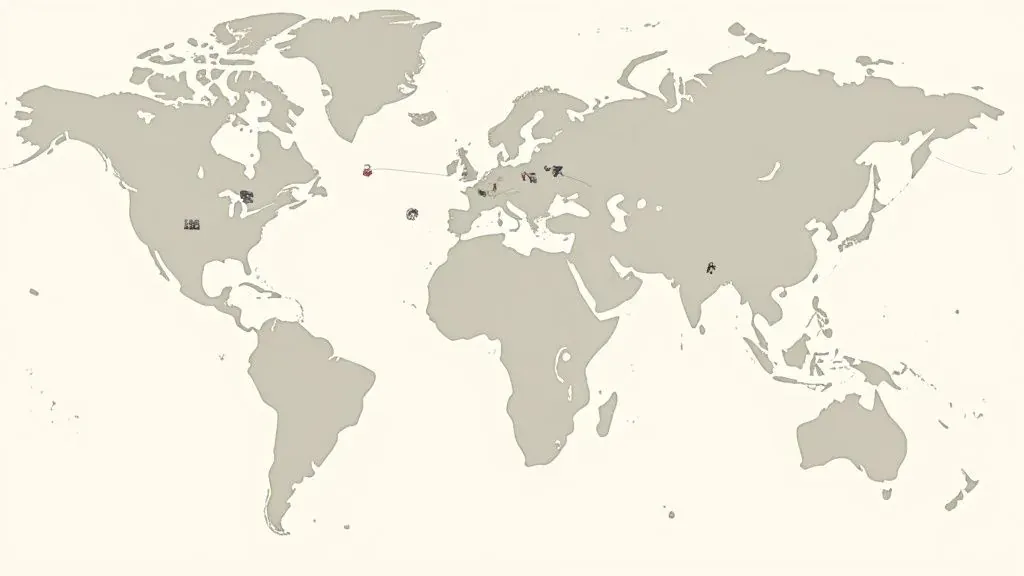
This system’s strength lies in its ability to connect your photos to real-world locations. Imagine instantly accessing all the pictures from your trip to Rome or quickly finding that stunning sunset photo you took on a secluded beach. No more sifting through endless chronologically sorted folders. With a location-based system, your photos become geographically searchable, unlocking a new dimension of organization. This method makes it one of the best ways to organize photos for travelers, explorers, and anyone who values the context of place.
#Examples of Location-Based Organization in Action
- Google Photos: The map view and location albums in Google Photos automatically group photos based on GPS data.
- Apple Photos: The ‘Places’ feature in Apple Photos offers a similar geographically organized view.
- Travel Bloggers: Many travel bloggers use location-based galleries to showcase their journeys and provide visual context to their stories.
- Real Estate Photography: Organizing real estate photos by property locations streamlines presentations and property management.
#Tips for Effective Location-Based Organization
- Enable GPS: Ensure GPS is enabled on your camera or smartphone to automatically embed location data into your photos.
- Manual Location Tagging: Manually add location data to important photos that lack GPS information.
- Location Hierarchies: Create location hierarchies, moving from broader categories like “Country” to more specific ones like “City” and then “Specific Landmark,” for granular organization.
- Privacy Considerations: Be mindful of privacy implications before sharing photos with embedded location data.
#Enhancing Geographic Systems with AI and Reseek
Even with a well-structured location-based system, finding a specific image based on its content can still be a challenge. This is where AI-powered tools like Reseek become invaluable. By uploading your images, Reseek uses OCR (Optical Character Recognition) to extract text within them. This text, along with image content analysis, is then fed into a vector database, enabling powerful semantic search. This means you can search using natural language, describing the image you’re looking for. Reseek uses this context to pinpoint the image, even if you don’t remember the exact location.
#When to Use a Location-Based System
This system is ideal for travelers, geographers, and anyone who frequently photographs different locations. It’s especially beneficial for those who want to quickly access photos based on where they were taken. By integrating location data with the power of AI and semantic search through tools like Reseek, you can create a highly efficient and engaging photo organization system. This makes retrieving and reliving your memories easier than ever before.
#7. Star Rating and Quality-Based System
Elevating the best of your visual memories, the star rating and quality-based system prioritizes photos based on their quality, importance, or personal preference. Using star ratings, color labels, or other quality indicators, this method allows you to quickly identify your top-tier images. This ensures your most cherished moments are easily accessible and stand out from the rest. It’s one of the best ways to organize photos when visual appeal and significance are paramount.
This system’s strength lies in its ability to transform a vast, unorganized collection into a curated gallery of your finest shots. Imagine effortlessly locating the perfect picture for a holiday card or a social media post. No more sifting through hundreds of similar images. Your highest-rated photos are readily available, showcasing your best photographic work and most treasured memories. This structured approach is especially valuable for photographers, content creators, and anyone who values visual quality.
#Examples of Quality-Based Systems in Action
- Adobe Lightroom: Lightroom’s star rating system is a cornerstone of professional photo editing workflows.
- Professional Photographer Portfolios: Photographers often use ratings to curate their best work for presentations and online portfolios.
- Wedding Photographers: Wedding photographers might use color labels to categorize images for client delivery (e.g., “Bridal Portraits,” “Reception Details”).
- Stock Photography: Stock photography platforms utilize quality assessments to determine image marketability.
#Tips for Effective Quality-Based Organization
- Develop Consistent Rating Criteria: Establish clear criteria for assigning ratings to maintain consistency across your collection.
- Rate Photos Immediately After Importing: Integrate rating into your post-processing workflow to avoid backlog and ensure timely curation.
- Use Ratings in Combination with Other Organizational Methods: Combine ratings with chronological or keyword-based systems for enhanced searchability.
- Regularly Review and Update Ratings: As your photography skills evolve, revisit and refine your ratings to reflect your improving eye. Learn more about maximizing organization systems through tools highlighted in articles like this one covering productivity apps.
#Enhancing Quality-Based Systems with AI-Powered Tools
While ratings highlight your best images, finding specific photos within those top-rated selections can still be a challenge. Reseek offers a powerful solution. By uploading your images, Reseek uses OCR (Optical Character Recognition) to extract text within them. This extracted text, along with image content analysis, is then fed into a vector database enabling semantic search. Now you can search using natural language, describing the image you’re looking for, and Reseek will use this context to pinpoint the exact image, even within your highest-rated groups.
#When to Use a Quality-Based System
This system is perfect for anyone who prioritizes visual quality and wants to quickly access their best photos. It’s especially useful for photographers, content creators, and individuals who frequently share their images online. By combining this system with AI-powered search, you create a highly efficient and accessible photo library, ensuring your most captivating memories are always at your fingertips.
#7 Methods for Organizing Photos Compared
| Organization System | Implementation Complexity 🔄 | Resource Requirements ⚡ | Expected Outcomes 📊 | Ideal Use Cases 💡 | Key Advantages ⭐ |
|---|---|---|---|---|---|
| Chronological Organization System | Low to Medium | Low (software with date sorting support) | Intuitive timeline, easier date-based photo finding | Large personal collections, family, travel | Matches natural memory, easy automation |
| Event-Based Categorization | Medium to High | Medium (manual effort for event grouping) | Meaningful event groupings, good for storytelling | Special occasions, professional event photography | Emphasizes context, easy event sharing |
| Hierarchical Folder Structure | Medium to High | Medium (detailed folder setup & maintenance) | Detailed control, complex categorization | Professionals, diverse large collections | Highly customizable, platform independent |
| Tag and Keyword System | High | High (time for tagging, software support) | Powerful multi-category search, flexible organization | Large collections, professionals needing search | Multiple categorizations, scalable, search-friendly |
| People-Centric Organization | Medium | Medium (facial recognition setup) | Easy people-specific photo retrieval | Family albums, portrait photography, social events | AI facial recognition, intuitive person grouping |
| Location-Based Geographic System | Medium | Medium (GPS-enabled devices, tagging) | Location-based browsing and mapping | Travel, real estate, geographic documentation | Visual map interface, automatic GPS organization |
| Star Rating and Quality-Based | Low to Medium | Low to Medium (time to rate photos) | Quick identification of best photos | Professionals, portfolio curation, large shoots | Fast quality sorting, editing workflow integration |
#Unlock Your Photo Potential: Choosing the Right Organization Method
The best way to organize photos isn’t a one-size-fits-all solution. It’s about finding the system that seamlessly integrates into your life and empowers you to effortlessly access the memories you’ve captured. Whether you’re a knowledge worker, researcher, student, content creator, or simply someone who cherishes their visual history, the right organizational structure transforms your photo library from a chaotic digital jumble into a curated and easily navigable collection.
#Key Takeaways for Photo Organization
From chronological systems and event-based categorization to hierarchical folders and location tagging, we’ve explored a range of strategies. The core principle remains consistent: intentionality. Consciously choosing a method, and sticking to it, lays the foundation for long-term success. Remember to consider factors like the size of your library, your tech savviness, and the frequency with which you access your photos.
- Consistency is Key: No matter which system you choose, consistency is paramount. Regularly organizing your photos prevents future overwhelm.
- Embrace the Power of Tags: Keywords, tags, and descriptions add context to your images, making them significantly easier to find.
- Consider Your Future Self: Choose a system you can maintain over time. Think about how your needs might evolve as your photo library grows.
#The AI Advantage: Semantic Search and Beyond
In today’s digital landscape, artificial intelligence offers a powerful new approach to photo organization. Imagine searching for “birthday party with cake and candles” and instantly finding precisely the photos you’re looking for. This is the power of semantic search. Platforms like Reseek leverage advanced OCR technology to extract text from your images, feeding it into a vector database. This allows for contextualized searches, far surpassing the limitations of traditional keyword-based systems. Reseek unlocks the full potential of your visual library by allowing you to search based on the content of your photos, not just arbitrary tags.
#From Chaos to Clarity: The Impact of Organized Photos
The benefits of a well-organized photo library extend far beyond simple retrieval. It’s about more than just finding that one photo from your last vacation; it’s about unlocking the power of your visual memories. An organized library streamlines workflows for researchers and content creators, facilitates knowledge management for students and professionals, and preserves precious memories for everyone. It’s about reclaiming control of your digital assets and transforming them into a valuable resource.
Start organizing your photos today and rediscover the stories they tell. Take control of your visual memories with Reseek, a powerful platform that uses AI to make organizing and searching your photos easier than ever before. Visit Reseek to learn more and supercharge your photo management workflow.